Skip to content
CellAIQ

The whole lab, from the first tube to the signed report.

CellAIQ runs your front desk, home collections, benches, analysers, billing and referral partners. On the web, on the phone, and offline when the internet isn’t.

09:41 in the partner portal. Mehta Clinic books a home visit from its portal.

This order took 93 minutes from booking to the patient’s phone.

The desk keeps booking and billing without internet
Offline
analyser models set up out of the box, over HL7 or ASTM
7
languages patients can read their report explained in
3
things to install at the front desk
0

Six tools to run one lab. Or one.

Most labs don’t lack software. They have too much of it, and the money and the hours go missing in the gaps between.

  • A paper register at the desk

    One-screen checkout: patient, tests, bill and payment in one go.

  • A desktop LIMS on one computer

    Any browser, any branch, and it keeps working offline.

  • A WhatsApp group for reports

    Reports sent from the record, with a link that opens them.

  • Commissions in a notebook

    Each partner’s agreement works out their share on every order.

  • A cash book that never matches

    The drawer is counted by denomination and the day book balances.

  • Phone calls to find the collector

    Every collector on a live map, with the day’s route planned.

A sample’s day, start to finish.

Seven steps, three apps, one record. Nobody types anything twice, and everyone can see where the sample is.

  1. 1

    Book

    At the desk, from a clinic, or from a photo of the prescription.

    • One-screen checkout takes the order, the bill and the payment together
    • A referring clinic books from its own portal, at its agreed rates
    • A prescription photo becomes order lines in seconds
    Lab panelPartner portal
  2. 2

    Collect

    At the counter or at the patient’s door.

    • Collectors get the day’s visits in the fastest order
    • Each tube is drawn in order, with its handling steps
    • Cash and samples are handed back and counted in
    Mobile appLab panel
  3. 3

    Receive

    Barcoded, checked and on its way to the right bench.

    • Labels print on thermal or A4 printers
    • Chain of custody records who held it and where
    • Problems like a haemolysed sample are logged, not lost
    Lab panel
  4. 4

    Run

    Values come straight from the analyser.

    • HL7, ASTM, serial or folder: the connector keeps every reading
    • Out-of-range values are flagged as they arrive
    • A failed QC run holds patient results until it’s fixed
    Lab panel
  5. 5

    Verify

    Checked, signed and released, one test at a time if needed.

    • Approve, hold or send back each test
    • Critical values need a call and a read-back
    • Interim and final reports are numbered versions
    Lab panel
  6. 6

    Deliver

    On the patient’s phone and in the doctor’s portal.

    • Sent on WhatsApp, SMS or email from the record
    • A secure link opens the report, with trends and a plain-words summary
    • The referring doctor sees it in the portal and the app
    Lab panelPartner portalMobile app
  7. 7

    Settle

    The money side closes itself.

    • Each partner’s share is worked out from their agreement
    • Statements, settlements and payouts stay on record
    • The drawer is counted and the day book balances
    Lab panelPartner portal

Three apps. One record.

The lab panel, the mobile app and the partner portal all read and write the same order. When a collector taps “collected”, the desk and the doctor know.

Where the lab is run.

Reception, benches, verification, billing, stock and settings, in the browser on any computer you already have. Each person arranges their own dashboard and sees only what their job needs.

  • Keyboard-first checkout for a busy front desk
  • Analysers, QC and verification on one screen per order
  • Your own letterhead on every report and invoice
  • Branches, roles and an audit log for the owner
Good morning, Navrangpura
Today

Work in progress

  • To collect14
  • On the bench31
  • To verify9
  • Ready to send22

Collected today

₹48,260

UPI 46%, cash 38%, card 16%

Within turnaround

94%

Needs you now

  • 2 critical values waiting for a call
  • 3 discounts to approve
  • EDTA tubes below reorder level

Everything in CellAIQ.

60 things your lab does every day, each one built in. No add-ons to buy, no second system to keep in step.

Front desk and billing

A patient in, an order placed, a bill paid, in one screen.

  • One-screen checkout

    Order, invoice and payment in one step, driven from the keyboard.

  • Payment-mode guess

    Remembers how each patient pays, so cash, UPI or card is already picked.

  • Quotations

    Price tests before booking; the quote turns into an order at its prices.

  • Patient records

    Visit history, ABHA ID, IPD patients, report language and a face for every name.

  • Invoices, refunds and cancellations

    Everything that happens to a bill, with the reason on record.

  • Discount approvals

    Discounts over the limit wait for a manager, who can approve from their phone.

  • Cash drawer and day book

    Count and close the drawer by denomination; the day book balances itself.

Home collections

Visits booked at the desk or by a partner, run from a collector’s phone.

  • Visit booking

    Book home and hospital visits with collection hours and a collector.

  • Live collector map

    See every collector on the road, on open maps with no API keys to buy.

  • Route planner

    Suggests a faster order for the day’s visits and hands off to navigation.

  • Door-step draw plan

    Preparation checks, then each tube in the order it is filled.

  • Kit check

    What to carry today, tube by tube, in the lab’s own cap colours.

  • Hand-back

    Cash and sample bags are handed over and counted in, even offline.

  • Collector trail

    Clock-in, location while on shift, and the route actually taken.

Specimens and the bench

Every tube accounted for, from the needle to the discard bin.

  • Barcode labels

    Thermal or A4 labels, allocated even when the internet is down.

  • Chain of custody

    Who held each specimen, where, and when, on one log.

  • Department benches

    Each bench sees only its own work, in the order it should be done.

  • Storage and retention

    Rack and position, how long to keep it, and when to discard.

  • Send-outs

    Ship samples to a reference lab and track them until results return.

  • Microbiology

    Cultures, organisms, sensitivity with S/I/R and MIC, and an antibiogram.

  • Histology

    Accession to cassette to slide, on a stage board with case pages.

Analysers and quality control

Results arrive from the machine, and a failed control stops them going out.

  • Analyser interfacing

    HL7 and ASTM over the network, serial RS-232, or a watched folder.

  • Ready-made setups

    Seven analyser models set up out of the box, plus your own library.

  • Levey-Jennings and Westgard

    QC charts with Westgard rules; patient results hold after a failed run.

  • Machine health

    Connection checked every five minutes, with downtime and a service log.

  • Histograms

    Haematology histograms read from the analyser and printed on the report.

  • Validation record

    A printable record of how each machine was set up and checked.

Results and reports

Out-of-range values flagged, signed, and on the patient’s phone.

  • Result entry

    Values flagged as they are typed, with images, runs and worksheets.

  • Verification

    Approve, hold or send back each test; interim and final versions numbered.

  • Critical calls

    Critical values raise an alert, and the phoned result must be read back.

  • Patient trends

    Earlier results charted beside today’s, on the report and in the app.

  • Delivery

    WhatsApp, SMS and email from the record, with a link that opens the report.

  • Plain-words explanation

    Patients read their report explained in English, Hindi or Gujarati.

Partners and money

Doctors, hospitals and collection centres, each on an agreement that does the maths.

  • Agreements and rate lists

    “10% below our prices, rounded to ₹10”, written once, applied to every order.

  • Six ways to pay partners

    Negotiated rate, fixed per test, fixed per order, revenue share, profit share or none.

  • Statements and settlements

    Who owes whom, who collected the money, and payouts on record.

  • Partner booking

    A clinic books a collection in three steps, at its agreed rates.

  • Partner reports

    Each report on its own page, with the PDF and every result.

  • Earnings

    Commission earned and paid, month by month.

  • Live notifications

    Every update names the booking or order it is about.

Inventory and supplies

Stock that counts itself down as tests are run.

  • Batches and expiry

    Stock by batch, with expiry dates you see before they pass.

  • Automatic deduction

    Tubes and reagents come off stock as orders and runs happen.

  • Reorder autopilot

    Drafts or places reorders each day, per branch, per item.

  • Purchase orders and suppliers

    Restock requests go to your suppliers by WhatsApp or email.

  • Built-in shop

    Order consumables from our distributor, with a GST invoice at dispatch.

AI assist

Help where typing is slow, never where judgement is needed.

  • Prescription scan

    Photograph a prescription and it becomes order lines, Indian spellings and all.

  • Learns your names

    Your lab’s own test names are learned, and TSH is never read as FSH.

  • Report explanation

    A plain-words summary for the patient; the AI never sees who they are.

Documents and printing

Your letterhead on everything that leaves the lab.

  • Document Studio

    One designer for reports, invoices, receipts, quotations, worksheets and labels.

  • Letterhead and logo

    Your header, footer and signatures on every page.

  • Print anywhere

    Reports, labels and worksheets print from the browser; no drivers to install.

Team, access and running the lab

Everyone sees what their job needs, and the owner sees everything.

  • Your own dashboard

    Each person picks from 36 widgets: pipeline, turnaround, revenue, stock, team.

  • Analytics

    Trends, departments, turnaround and commissions over any period.

  • Roles and access

    15 areas, 8 ready-made job presets, and prices hidden from those who shouldn’t see them.

  • Branches

    Several branches, one catalogue, one set of books.

  • Works offline

    The desk keeps registering and billing without internet, then syncs.

  • Audit log

    Every change on a permanent record that cannot be edited.

  • Phone sign-in

    Partners and staff sign in with a one-time code; one login, many labs.

  • Made for India

    GST, ₹, Indian test names, Hindi and Gujarati, and IPD patients.

  • Keyboard and search

    Shortcuts for the busy desk, and Ctrl+K to reach any patient or order.

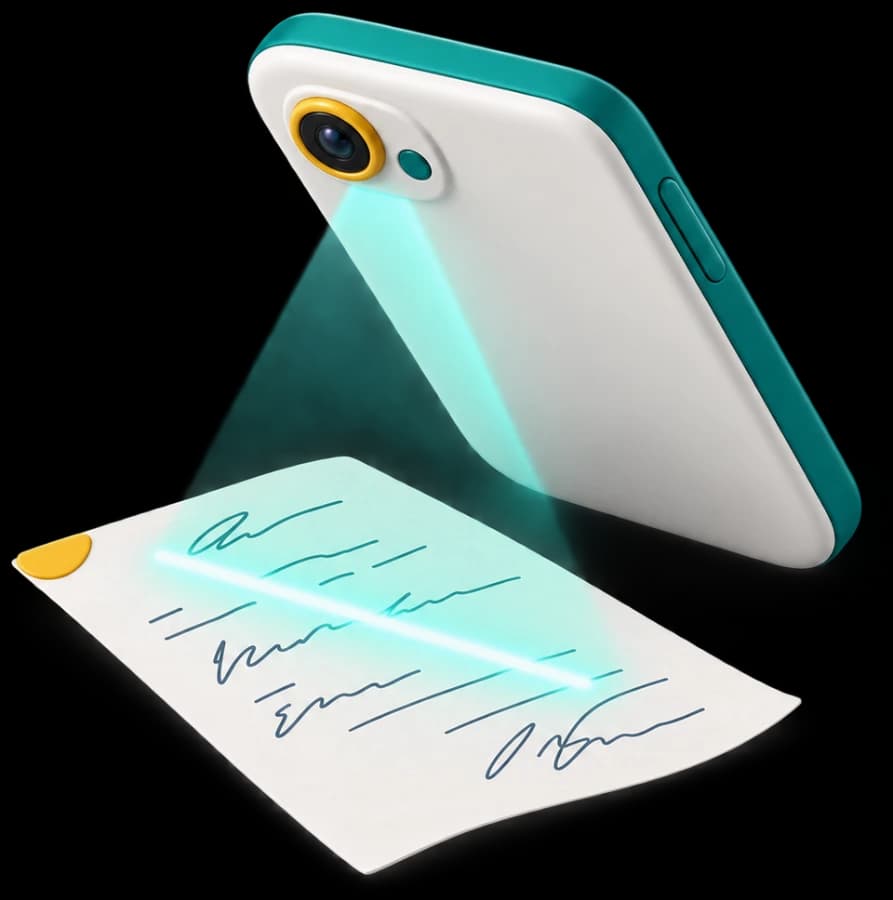
Photograph the prescription. Get the order.

The scan reads handwriting and Indian shorthand, matches it to your own test list, and learns the names your lab uses. The lines land in checkout for the desk to confirm.

CBP
Complete blood count
KFT
Kidney function test
FBS
Glucose, fasting
TSH
Thyroid stimulating hormone, never FSH
Results straight from the analyser. Held when QC fails.

A small connector beside each machine keeps every reading, even through a network drop. Controls are charted with Westgard rules, and a failed run stops patient results from going out.

Potassium control, level 21-3s rule broken, patient results held
  • HL7 and ASTM over the network
  • Serial RS-232 cable
  • Result files dropped in a folder

Ready-made setups for Erba, Boule, DiaSys and Snibe models, and your own library for the rest.

Partner statements, September

  • Mehta ClinicRevenue share, 20%₹12,480to pay
  • City HospitalNegotiated rate list₹48,900to collect
  • Sunrise Collection CentreFixed, ₹50 per order₹6,350to pay

Referral money that adds itself up.

Hospitals, doctors, clinics, collection centres, corporates, other labs and aggregators each get an agreement. Set the rate list and how they earn once; every order works out who owes whom, and who collected the money.

Negotiated rates, fixed per test, fixed per order, revenue share, profit share, or nothing at all.

Made for the way Indian labs work.

Not a foreign LIMS with a rupee sign added. Built for walk-ins, home visits, referral doctors and a cash drawer that has to balance.

  • GST built in

    GSTIN, HSN and GST on every invoice, in rupees.

  • Hindi and Gujarati

    Patients read their report explained in their language.

  • Indian test names

    CBP, KFT, LFT and your lab’s own names, understood.

  • WhatsApp first

    Reports and supplier orders go out on WhatsApp, SMS or email.

  • IPD and ABHA

    Inpatients as their own patient type, and the ABHA ID on record.

  • Open maps

    Collector maps with no Google key or per-view bill.

The internet goes. The desk doesn’t.

Registration, barcodes and payments carry on without a connection. Each change waits in a queue on the computer and syncs the moment the line is back; if the same record changed in two places, you choose which one stands. Collectors’ phones keep an encrypted copy of the day, too.

Front desk

  • New patient, Ravi Desai
  • Barcode 2409-0417
  • UPI ₹640 received

3 waiting to sync

Your lab’s record

Synced

when the line is back

The mobile app works the same way in the field.

Patient data, treated like patient data.

A lab holds some of the most private facts about a person. CellAIQ is built so that only the right people see them, and nothing is lost.

  • Your own database schema

    Every lab’s data lives in its own schema, at its own address.

  • A permanent audit log

    Every change is recorded, and the log itself cannot be edited.

  • Access by job

    15 areas and 8 ready-made roles; staff see only their work.

  • Money kept private

    Prices and business figures are removed for those without access.

  • Short-lived sessions

    Sign-in tokens rotate, and repeated wrong passwords lock the account.

  • Nothing clinical is erased

    Deleted records are retired, never destroyed, so history holds.

Questions labs ask us.

Do we need to install anything?

No. The lab panel runs in the browser on any computer you already have, and can be installed as an app. Collectors and doctors use the CellAIQ mobile app. Only an analyser connection needs a small connector on the computer beside the machine.

What happens when the internet goes down?

The front desk keeps registering patients, printing barcodes and taking payments. Everything waits in a local queue and syncs when the connection is back, and anything that changed on both sides is shown to you to settle. Collectors keep working in the field too.

Which analysers can you connect?

Anything that speaks HL7 or ASTM over the network, over a serial RS-232 cable, or by writing result files to a folder. Seven common models come set up out of the box, and on the demo we check yours.

We already use other software. Can we move?

Yes. We set up your test catalogue, prices, branches and report letterhead before you go live, and help bring across your existing test list and referral partners.

How do patients get their reports?

By WhatsApp, SMS or email, straight from the record. The message carries a secure link to the report, with earlier results charted and an optional explanation in English, Hindi or Gujarati.

Is our data kept apart from other labs?

Every lab has its own database schema and its own address. Access is by role, prices can be hidden from staff who don’t need them, and every change is written to an audit log that cannot be edited.

What does it cost?

Plans are monthly and depend on your users, branches and order volume. We’ll size one for your lab on the demo call.

See CellAIQ run your lab.

Tell us a little about your lab. We’ll show you the whole system on a call, using your own tests.

  1. 1

    We call you to learn how your lab runs today and pick a time.

  2. 2

    A demo on your own tests with your catalogue, your partners and your report format.

  3. 3

    We set you up catalogue, prices, branches and letterhead, before you go live.

We use these details only to arrange your demo; see our privacy policy.